

UI UX Design Explained: Why Some Apps Feel Easy and Others Don't

Ready to Build Something Great?
Book a free strategy call with our team and let's turn your idea into reality.
Share This Blog
UI UX Design Explained: Why Some Apps Feel Easy and Others Don't
Have you ever left a website in five seconds? That is a UI UX design problem, and it is easy to fix. You could not find the button. Also, the text was tiny. Then the page kept jumping around. Nobody told you why, so you just left.
That moment is exactly what UI UX design tries to prevent. Good design feels like nothing at all. When it works, you tap, scroll, and finish your task. Bad design, however, feels like a locked door.
In this guide, you will learn what UI UX design means in plain words. Because ideas are easier to see in action, we will follow one made-up example, Maria's Pizza app. Then you can check your own site or app.
Meet Maria and Her Pizza App
Maria owns a pizza shop in Tampa. She pays for an app so customers can order from their phones. The app looks great, because it has bright red buttons and tasty photos. Yet orders stay low. Her story shows why UI UX design matters even for a small shop.
Why? Customers open the app, scroll for a while, and quit. The menu is hard to search. Also, the "Order" button hides at the bottom. Finally, checkout asks for twenty pieces of information.
Maria's problem is not one thing. It is two things. For one thing, a few screens need a nicer look. But the bigger issue is the whole trip from "I'm hungry" to "my pizza is here." Designers treat those as two different jobs, so they call them UI and UX.
UI vs UX: Two Jobs on One Screen
The question of UI vs UX is one of the most common in design. The answer, though, is simple.
UI means user interface. It is what you see and touch. For example, buttons, colors, icons, text, and spacing are all UI.
UX means user experience. It is how the whole trip feels. Can you find what you need before you give up? Do you finish fast? Do you feel calm or confused?
Think of a door. The handle, color, and shape are UI. UX is whether the door sits where people expect it, opens the right way, and leads somewhere useful. A pretty handle on a door to nowhere still fails.
So the two jobs always travel together. Smart UI vs UX thinking means you never fix one and forget the other. A calm layout with a confusing flow still loses customers. Likewise, a clever flow on an unreadable screen loses them too. In short, UI UX design means getting both jobs right.
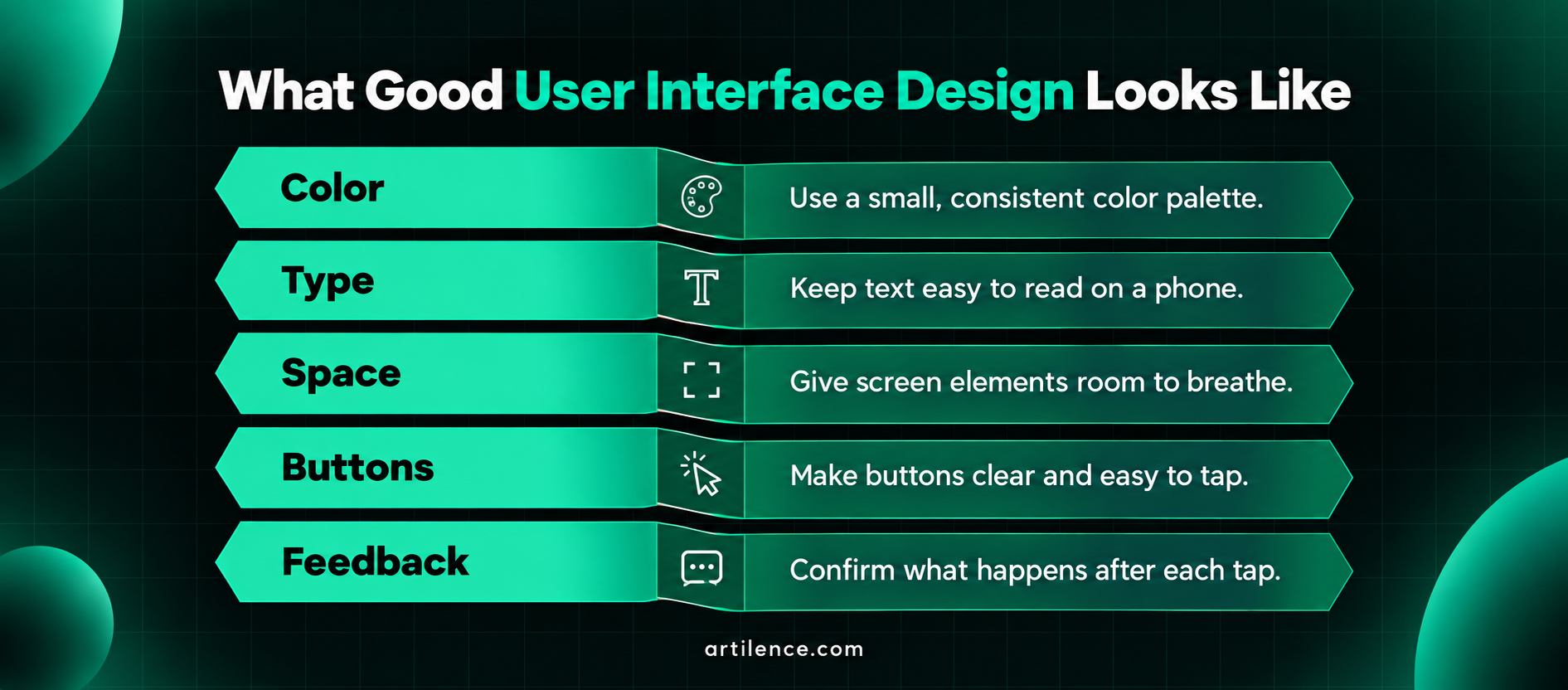
What Good User Interface Design Looks Like
User interface design is the craft of making screens clear. A designer picks every small detail for a reason. Within UI UX design, this is the part people notice first.
- Color: Pick a few colors and use them the same way each time. For example, red often means "stop" or "delete," while green often means "go."
- Type: Use text big enough to read on a phone. Many teams start at 16 pixels for body text, since small type is hard to read.
- Space: Give items room to breathe. Crowded screens tire the eyes.
- Buttons: Make them look tappable. Also, make them big enough for a thumb.
- Feedback: Show what happens after a tap. A small "Added to cart" note helps a lot, because it calms doubt.
For Maria, strong user interface design means a bright "Order Now" button at the top of the menu. It also means clear photos with prices beside them. As a result, each choice removes a small bit of doubt.
What UX Designers Study Before They Draw
UX work starts with people, not screens. Before they draw anything, designers ask who uses the product. Then they ask what those people want and what blocks them.
They use simple tools. For example, they interview a few customers. They also watch people try the app. Then they map every step from start to finish and look for spots where people slow down.
Maria's team might learn that most customers order on a phone, with one hand, in a hurry. In fact, many want to repeat their last order. Others, meanwhile, want to know the wait time first. None of these facts show up in a color palette. Yet they shape everything.
Strong UI UX design also covers words and speed. For instance, a short error note like "Add a phone number so we can call about your order" beats "Invalid input." Plain words keep people moving.
Five UX Design Principles You Can Check Today
These UX design principles work for any app or site. You do not need a design degree to use them. Many come from decades of usability research, including the well-known heuristics from Nielsen Norman Group.
- Make the next step obvious. Each screen should have one main action, so people never wonder what to do.
- Keep it familiar. People expect a cart icon near the top, since most stores place it there.
- Cut extra steps. Every form field you remove helps, especially on phones.
- Give feedback. Show loading bars, success notes, and clear error messages, so users know what happened.
- Design for everyone. Also think about people who use screen readers, large text, or just one hand.
Maria applied these UX design principles in one weekend. She gave each screen one big button. Next, she added a "Reorder my last meal" shortcut. Then she let people check out as guests. As a result, orders rose, and support calls fell. Her UI UX design changes were small, but they mattered.
The UX Design Process in Six Steps
The UX design process gives a team a map, so nobody has to guess. Here is a simple version.
- Research. Talk to users, and study similar products before you sketch anything.
- Define. Write the main problem in one sentence. For example, Maria wrote, "Hungry people cannot order in under two minutes."
- Sketch. Draw rough screens on paper or in a design tool, since cheap sketches are easy to change.
- Prototype. Build a clickable mock version, because no code is needed yet.
- Test. Watch about five people try it, then note where they stall.
- Launch and learn. Release the product, then read the data and fix what you find.
These steps form a loop, not a straight line. After launch, new data sends the team back to step one. That is normal. In the same way, strong UI UX design teams share this map with developers early. As a result, everyone builds the same thing.
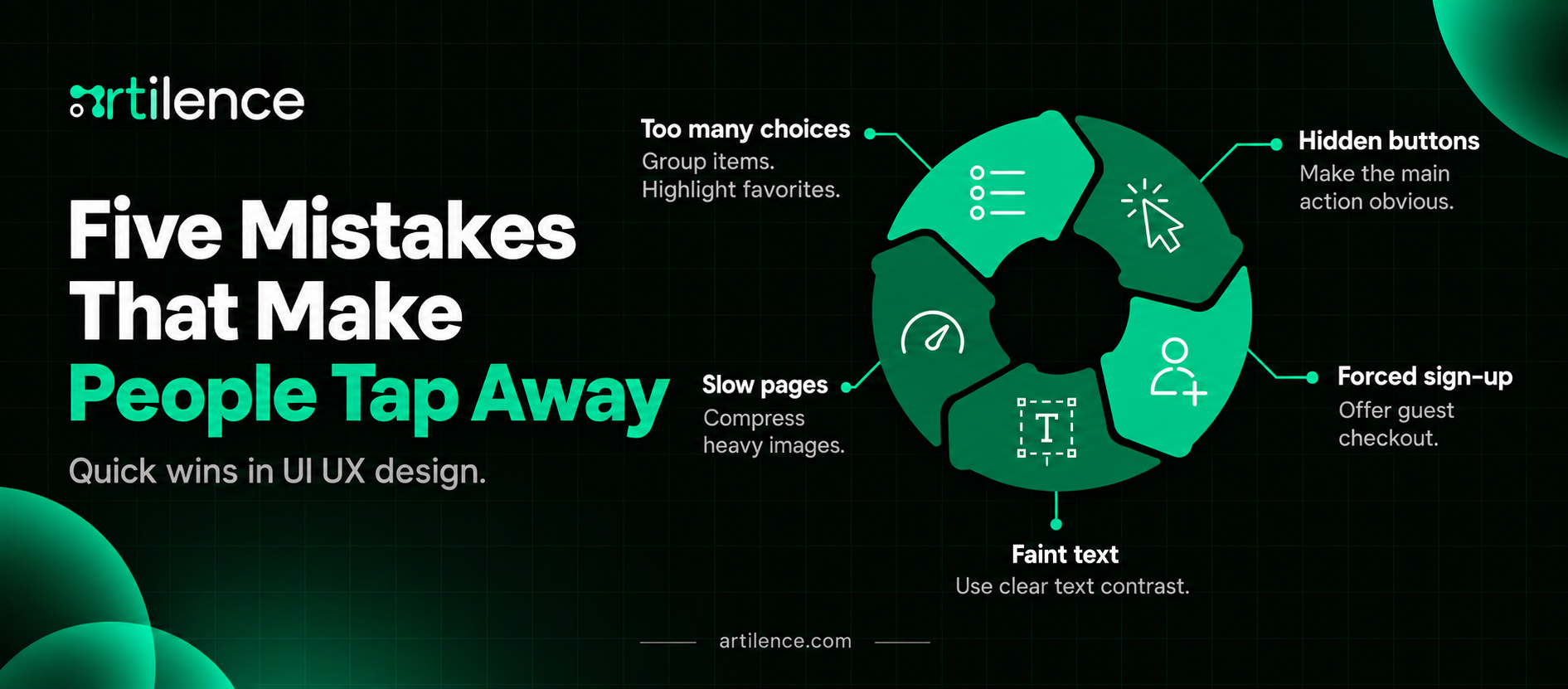
Five Mistakes That Make People Tap Away
Maria's first app made several common errors, so check yours for these.
- Too many choices. A menu with eighty items freezes people, so group items and highlight a few favorites.
- Hidden buttons. If users must hunt for the main action, they quit.
- Forced sign-up. Asking for an account before checkout stops many buyers. Offer guest checkout instead.
- Faint text. Light gray on white is hard to read, especially outdoors in the sun.
- Slow pages. Heavy images make apps drag. Compress them before launch.
Fix these first. They cost little and help a lot. Also, none of them needs a full redesign. Each one is a quick win in UI UX design.
Does Good Design Actually Pay Off?
Yes, and research backs it up. Baymard Institute studies online shopping, and it puts the average cart abandonment rate near 70 percent. In its research, about 17 percent of shoppers left an order because checkout felt too hard.
Baymard also estimates that a large online store can lift conversions by about 35 percent. The fix is a better checkout design. Indeed, that is a big gain from clearer screens alone.
Forrester research is often quoted as saying each dollar spent on UX can return many more dollars. However, treat the exact figure with care, because results differ from company to company. Still, the direction is clear. Easier products keep more customers.
For a small business, the gain is practical. You get fewer support calls, more finished orders, and more repeat visits. Good UI UX design is not decoration. Instead, it is a growth tool.
Accessibility Is Part of the Job in the US
Many US websites face real pressure to work for people with disabilities. In fact, lawsuits over hard-to-use sites are common. This is not legal advice, so ask a lawyer about your own case. Accessibility is part of UI UX design, not an extra.
Most teams use the Web Content Accessibility Guidelines, called WCAG, as a yardstick. A few easy checks go a long way:
- Use a text contrast ratio of at least 4.5 to 1 for body text.
- Add clear labels to every form field, so screen readers can announce them.
- Make sure people can move through the page when they use only a keyboard.
- Write short text descriptions for images that matter, such as charts.
Good user interface design includes all four. These habits also help everyone else. For example, think of someone reading a phone in bright sunlight, or tapping with a broken wrist.
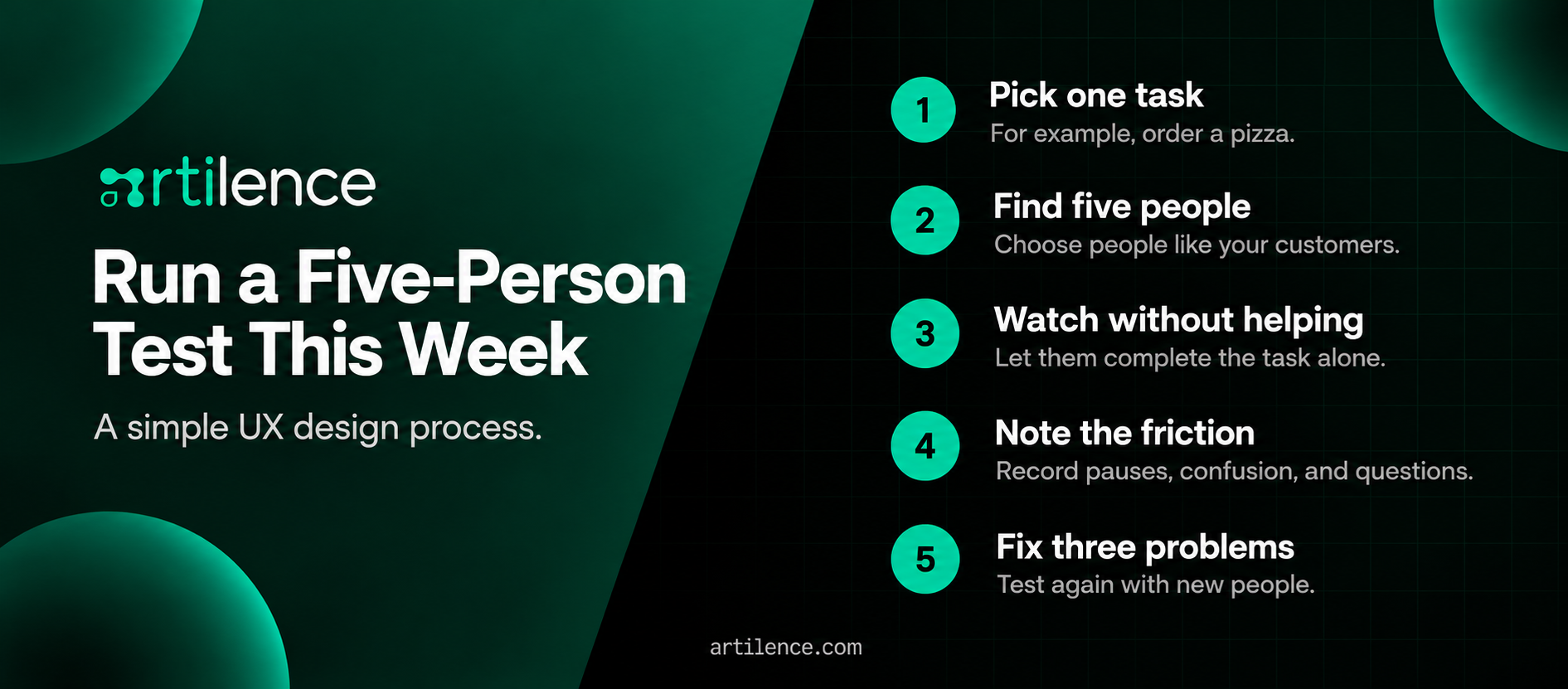
Run a Five-Person Test This Week
Try this small test, because you do not need a big budget to learn what is broken.
- Pick one task, such as "order a pizza."
- Find five people who match your customers.
- Ask them to do the task, but do not help them.
- Write down where they pause, frown, or ask questions.
- Fix the top three problems, then test again with new people.
Nielsen Norman Group has long shown that small tests like this catch many of the biggest problems. That is why testing sits in the middle of every good UX design process. It is cheap, fast, and honest. Repeat it whenever you change your UI UX design.
About Artilence
Artilence is a US-headquartered technology company based in St. Petersburg, Florida, with delivery teams in Asia. The team builds web and mobile apps, AI automation, data systems, and cybersecurity solutions. It also supports brands with SEO and go-to-market work. Because design, code, and growth sit under one roof, ideas move from sketch to working product without losing detail. Do visitors tap away from your app or website too soon? Artilence can help you improve your UI UX design by finding the weak steps and building clearer ones.
Your Next Step
Good UI UX design is not magic. It is a habit of watching real people and removing what slows them down. So start small. Pick one screen, one task, and one problem to fix.
Remember the three big ideas. Firstly, UI vs UX is a team effort, not a contest. Secondly, the UX design principles above give you a quick checklist. Thirdly, a steady UX design process keeps you from guessing. When you put them together, strong UI UX design will follow.
Frequently Asked Questions
What is the difference between UI and UX?
UI is how a product looks and how you touch it. That includes buttons, colors, and text. UX, on the other hand, is how the whole trip feels, from the first tap to the finished task.
What does a UI UX designer do?
A UI UX designer studies users, sketches screens, and builds clickable prototypes. They also test their UI UX design with real people and fix problems. Many work closely with developers so the final product matches the plan.
Is UI UX design a good career?
It can be. The US Bureau of Labor Statistics expects steady growth for web and digital interface designers. Demand is strongest for people who mix UI UX design skills with research and clear writing, especially in e-commerce.
Is UX design hard to learn?
The basics are not hard. You can learn the main ideas in a few weeks. However, getting good takes practice, because you must test your work with real users and improve it again and again.
Do you need to code to be a UI UX designer?
No, coding is not required. However, knowing basic HTML and CSS helps you talk with developers. It also helps you design things that are easy to build.
What tools do UI UX designers use?
Figma is the most common tool for screens and prototypes. Others, such as Sketch and Adobe products, are also popular. Many teams use simple tools for notes, surveys, and user interviews.
How long does it take to learn UI UX design?
Most people can learn the basics in three to six months of steady study. Landing a job often takes longer, because you need a portfolio. A strong portfolio shows how you solved real problems, not just pretty screens.
What are the main stages of UX design?
Most teams follow six stages: research, define, sketch, prototype, test, and launch. Then they repeat the loop with new data. The order can shift, but testing should never be skipped.
How much does a UI UX designer make in the US?
Federal data put the median pay for web and digital interface designers near $100,000 a year. However, pay changes a lot by city, skill, and years of experience. Entry-level roles usually pay less, while senior roles often pay more.
Does UI UX design affect SEO?
Yes, in an indirect way. Google rewards pages that load fast, work on phones, and help people find answers. Clear layouts keep visitors on the page longer, which often leads to more clicks and sign-ups. That is why good UI UX design and SEO work well together.
Artilence Newsletter
Don't worry your email is secure with us, We will use it to share the latest updates straight to your inbox!
By subscribing, you agree to our Privacy Policy.
Ready to Build Something Great?
Book a free strategy call with our team and let's turn your idea into reality.
Related Insights



AI is our language, we speak it fluently. Let's innovate together.




Services
Artilence Newsletter
Don't worry your email is secure with us, We will use to share latest updates straight to your inbox!
By subscribing, you agree to our Privacy Policy.


