


Ready to Build Something Great?
Book a free strategy call with our team and let's turn your idea into reality.
Share This Blog
ChatGPT Health is a new health space inside ChatGPT. Many Americans now use it for symptoms, lab reports, and doctor visits. In this guide, you will learn what it does well and where it falls short. You will also learn how to use it with care.
Picture a midnight search for one symptom. Then you feel more worried than before. Many people in the USA know this feeling. Now AI chats are changing how we look for answers.
OpenAI says more than 230 million people ask health questions every week. Because of that need, it built a special space for health topics only. So let us look at how it works and how to stay safe.
Why So Many Americans Ask AI About Their Health
Doctor visits are short. As a result, many people leave with questions they forgot to ask. Others wait weeks for an appointment. Some also feel shy about asking.
An AI chat is open at any hour. Besides, it never rushes you. Because it feels private, many people ask questions they would skip in person.
Cost matters too. Healthcare in the USA can be expensive, so people want to understand their situation before they pay for a visit. A chat tool, therefore, gives them a place to start.
However, quick answers are not always right answers. A chat can sound calm and sure even when it is wrong. For that reason, smart habits matter. Next, you will see which ones to use.
What the Health Tab Can Do for You
OpenAI describes ChatGPT Health as a separate space inside the app. There, you can link some medical records and wellness apps. In the USA, record links work through a partner network. Apple Health, meanwhile, needs an iPhone.
Once linked, answers can match your own data. For example, the tool can look at your sleep or step habits. It can also help you spot patterns over time.
It can explain a medical word in plain English. Likewise, it can help you plan questions for a visit. It can track habits such as sleep, food, and exercise. It can even compare insurance options in simple terms.
OpenAI says doctors gave feedback while the tool was built. Even so, the company states it is not meant for diagnosis or treatment. Think of it as a study buddy, not a doctor. Also, access has been rolling out in stages, so check your app for what you can use today.
Reading Your Test Numbers Without the Panic
Lab reports are full of short codes and ranges. A number marked "high" can scare you. Often, however, it means very little on its own.
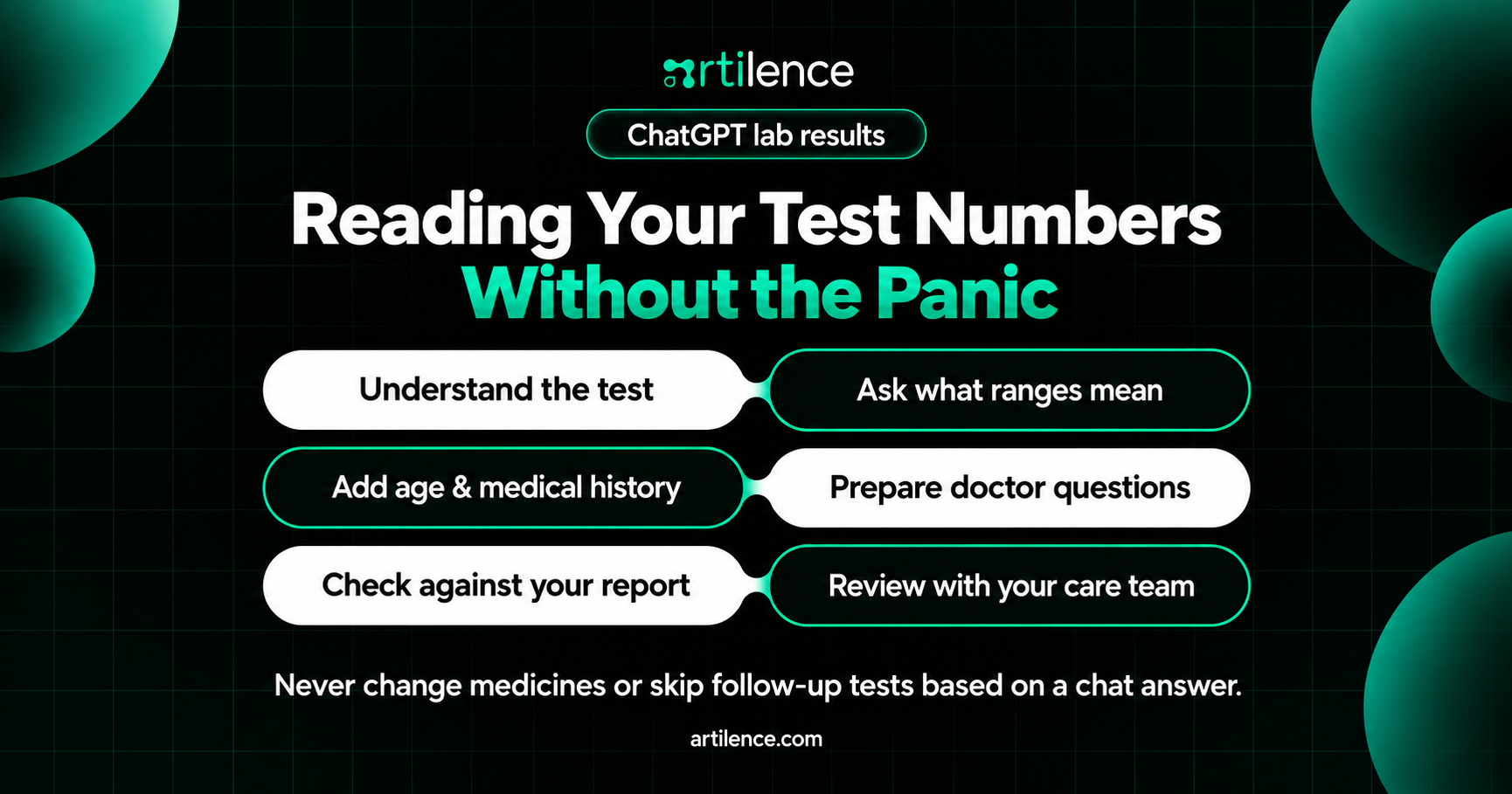
One of the best uses is help with lab reports. That is why people often search for ChatGPT lab results tips. For example, you can ask what a test measures. You can also ask why doctors order it. Then ask what a normal range means.
Try this. First, type the test name and your number. Next, ask, "What does this test check, in simple words?" Finally, ask, "What should I bring up with my doctor?"
Still, remember one limit. A range on paper is not your full story. Your age, medicines, and history all matter, so only your doctor sees the whole picture.
For safety, compare ChatGPT lab results answers with your real report and your care team. Never change a medicine because of a chat answer. Never skip a follow-up test, either.
A Quick Word on Symptom Questions
Many people treat a chat tool like a ChatGPT symptom checker. That is easy to understand. For instance, you type "headache and dizzy" and get a list of ideas.
However, a list can mislead. A chat cannot see you. It cannot check your pulse, your skin, or your eyes. Also, it cannot run a test.
Two things can go wrong. First, a scary guess can make you panic. Second, a mild guess can make you wait when you should not.
A safer way is to describe the facts. For example, say how long the problem has lasted. Then say what makes it better or worse. Finally, ask, "What details should I tell my doctor?"
In other words, use the chat to organize your thoughts. Do not use it to decide what is wrong. Likewise, never rely on a ChatGPT symptom checker habit to rule out a serious problem.
Your Private Data: What to Check First
Health details are deeply personal. So, before you share anything, learn the rules.
OpenAI says chats in the Health space are kept apart from your other chats. It also says they are not used to train its main models. In addition, you can view, disconnect, or delete connected data. These points are part of the ChatGPT symptom checker promises from the company.
However, privacy groups raise a fair worry. Many apps outside hospitals do not fall under the same laws as your doctor's office. In the USA, HIPAA mainly covers clinics, insurers, and their partners. Therefore, a consumer app may follow different rules.
So take a few simple steps. First, read the privacy settings before you connect any record. Second, share only what you need for your question. Third, remove names, Social Security numbers, and addresses from pasted text. Also, review what is connected every few months. Finally, disconnect any app you no longer use.
Good ChatGPT health privacy habits start with you. After all, the tool can only protect what you choose to share.
Seven Smart Questions to Ask Before Your Visit
A good visit starts with good questions, and the chat can help you write them. Try these prompts in order. First, ask it to explain your diagnosis in simple words. Second, ask about common treatment options. Third, ask what side effects to watch for. Next, ask what to know about cost or insurance. Then ask which tests might help, and why. Also ask what changes at home could help. Finally, ask which signs mean you should call sooner.
Save your list on your phone, then bring it to the visit. Doctors often like patients who come prepared.
Also, write down the answers during the visit. Afterward, you can ask the chat to explain any hard word you heard. In this way, a rushed visit becomes a clear plan.
A Three-Minute Check for Any AI Answer
Even a clear answer needs a quick check. This habit takes only a few minutes. Besides, it helps you spot weak advice early.
First, look at the claim. Is it a general fact, or does it talk about you? General facts, like what a vitamin does, are easier to trust. However, claims about your own body need a doctor.
Next, look for a source. Ask the tool, "Where does this come from?" Then search for that source yourself. Trusted choices include the CDC, the NIH, and large hospital websites.
Finally, check the date. Health guidance changes as research grows. Therefore, an old tip may no longer be the best one.
If two of these three checks fail, pause. Instead, write the question down for your doctor. After all, a short wait is better than a wrong step.
Red Flags: When to Skip the Chat
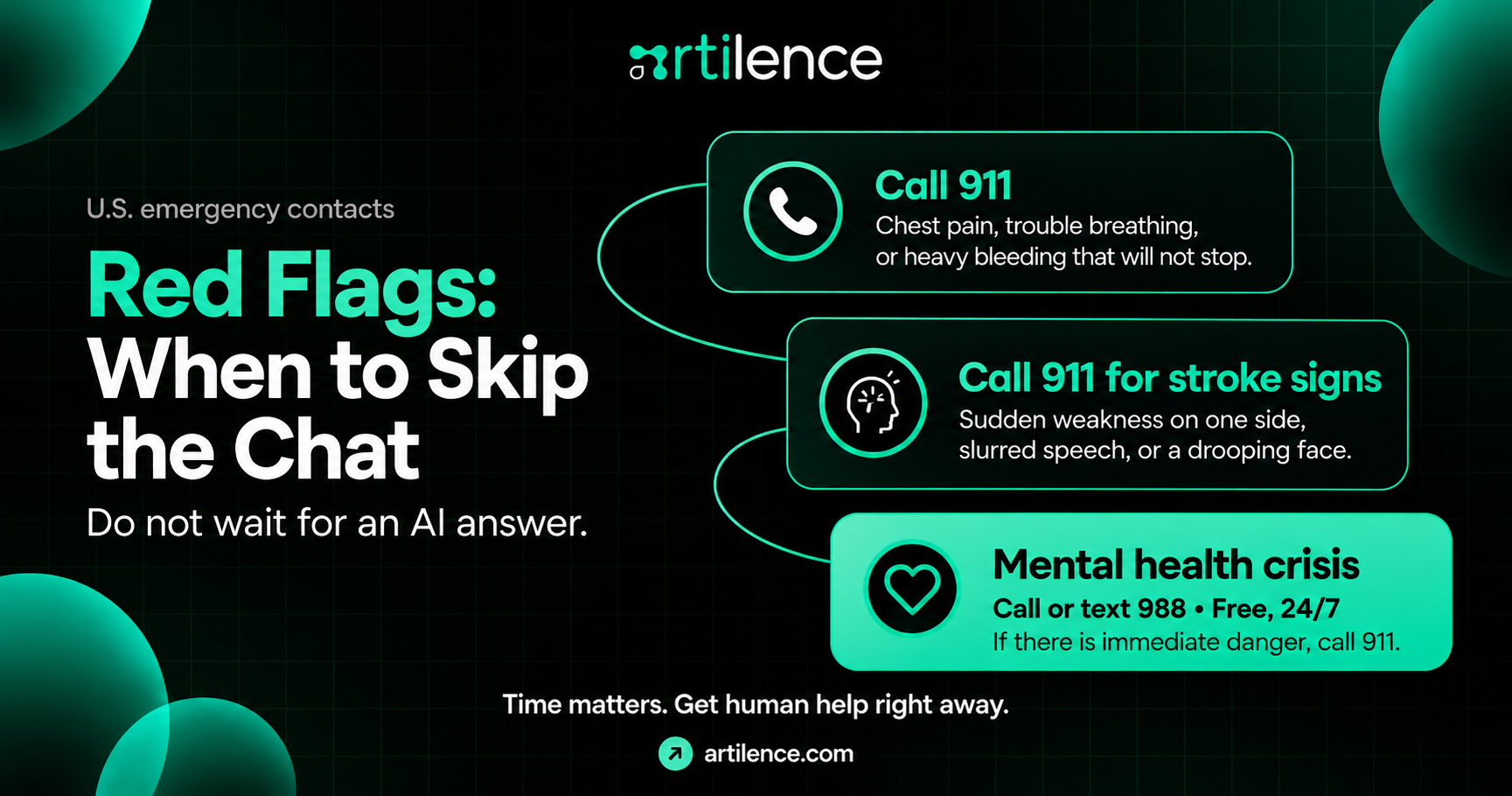
Some situations cannot wait. So do not type them into a chat window. Call 911 for chest pain, trouble breathing, or sudden weakness on one side. Also get help right away for slurred speech, a drooping face, or heavy bleeding that will not stop. Likewise, seek help at once if you have thoughts of harming yourself.
If you are in a mental health crisis, call or text 988 at any time. Help is free and open all day and night.
Time matters in these cases. Because of that, an AI answer only adds delay. When in doubt, call a real person.
Habits That Keep You Safe
People often search for ChatGPT medical advice. Yet no chat tool can give true medical advice for you. Only a licensed clinician can do that, because they know you.
To stay safe, treat every answer as a starting point. Also, ask the tool to explain its steps in simple words. Then double-check key facts with a trusted health site. Next, tell your doctor which tool you used and what it said. Finally, never share a password or card number.
Notice how the tool sounds, too. A confident tone is not the same as correct facts. If an answer feels off, ask again in a new way. Then confirm with a professional.
Be extra careful with children, pregnancy, and strong medicines. Small mistakes carry bigger risks there. For that reason, ChatGPT medical advice should never replace a call to your pharmacist.
The Bottom Line
Used well, ChatGPT Health can help you feel less lost. It can explain hard words, organize your questions, and show patterns in your habits. However, it cannot examine you, diagnose you, or treat you.
So keep your doctor at the center. Also, protect your data. Move fast when symptoms are serious. With these steps, AI becomes a helpful guide instead of a risky guess.
Frequently Asked Questions
Is ChatGPT Health free to use?
Access has been rolling out in stages. Also, plans and limits can change over time. So check the app or OpenAI's help pages for what your account includes today.
Who can use ChatGPT Health in the USA?
OpenAI first offered it to a small group through a waitlist. Medical record links, however, are limited to the USA. Because availability keeps growing, open the app to see if you have it.
Can ChatGPT Health read my medical records?
Only if you choose to connect them. You stay in control of what you link. Also, you can disconnect your records later.
Does this tool replace my doctor?
No. OpenAI says it is built to support care, not replace it. Also, it cannot examine you or order tests. Therefore, your doctor still makes the final call.
Can ChatGPT diagnose my symptoms?
No. It can offer general information and help you prepare questions. However, a diagnosis needs an exam, your history, and often tests. So only a licensed clinician can give one.
Is ChatGPT medical advice accurate?
It can be helpful for general facts. However, it can also be wrong or miss key details about you. So always confirm important points with a doctor or pharmacist.
Can ChatGPT explain my blood test results?
Yes, it can explain what a test measures in simple words. It can also help you write questions for your doctor. However, it cannot tell you what your numbers mean for your body.
Does OpenAI train its AI on my health chats?
OpenAI says conversations in the Health space are not used to train its main models. However, rules for other chats can differ. So read the privacy settings in your account to be sure.
How do I delete my health data from ChatGPT?
OpenAI says you can view, disconnect, and delete connected health data. For this, look in your account settings for the Health options. Also, review them from time to time.
When should I see a doctor instead of asking AI?
See a doctor for symptoms that are severe, sudden, or last more than a few days. Call 911 for chest pain, trouble breathing, or signs of a stroke. When you feel unsure, a real person is the safer choice.
Artilence Newsletter
Don't worry your email is secure with us, We will use it to share the latest updates straight to your inbox!
By subscribing, you agree to our Privacy Policy.
Ready to Build Something Great?
Book a free strategy call with our team and let's turn your idea into reality.
Related Insights



AI is our language, we speak it fluently. Let's innovate together.




Services
Artilence Newsletter
Don't worry your email is secure with us, We will use to share latest updates straight to your inbox!
By subscribing, you agree to our Privacy Policy.


