

Application Software Types: Buy, Rent, Open Source, or Build
Ready to Build Something Great?
Book a free strategy call with our team and let's turn your idea into reality.
Share This Blog
Most people pick software by reading feature lists. However, a smarter first question is how the software reaches you. The main application software types differ in three ways: who owns the code, who pays, and who fixes bugs. Those three answers shape your budget for years. In this guide, you will learn each of the application software types in plain words. You will also see US examples and clear tips for choosing. Artilence, a US-based software and AI company, helps teams make this choice, so the advice below stays practical.
Application Software vs System Software: A Quick Split
First, let's draw a line. System software runs the computer itself. Windows, macOS, and Android are common examples. Application software, on the other hand, helps a person finish a task. Writing a letter, paying a bill, or editing a photo all need an app.
Think of a kitchen. The wiring and plumbing are system software. The blender and toaster are applications. You use them to get a result. Because of that, every list of application software examples starts with tools people touch each day. Word, Excel, Chrome, Zoom, and QuickBooks all fit.
Now the real question begins. How do you get these tools? The answer sorts them into five application software types.
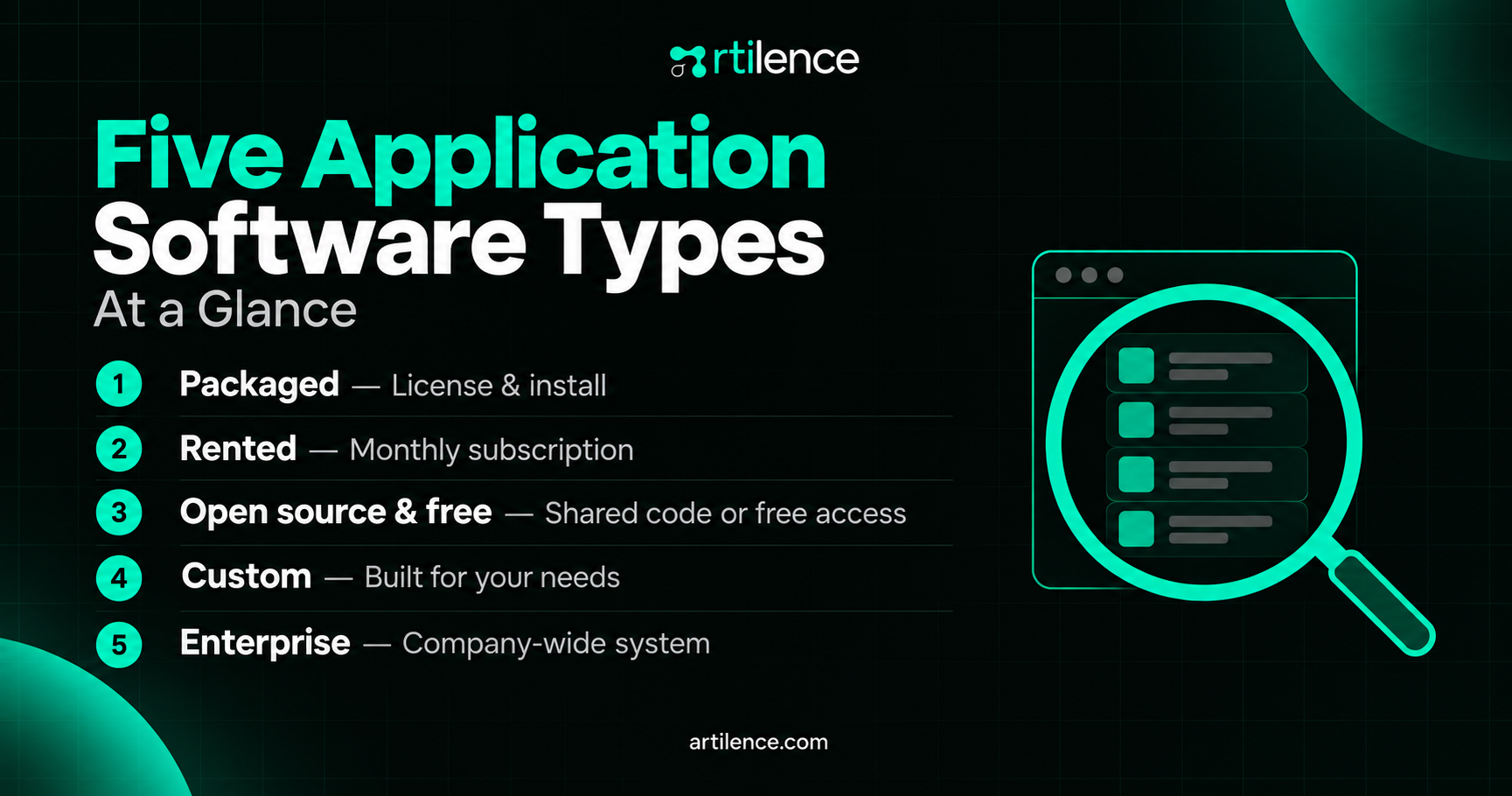
Five Application Software Types at a Glance
Here is the short version before we go deeper:
- Packaged software: you buy a license and install it.
- Rented software: you log in and pay monthly.
- Open source and free software: the code is shared, and the price is low.
- Custom software: a team builds it only for you.
- Enterprise software: one big system serves a whole company.
Each of these application software types has real strengths. Each also has a catch. Let's look at them one by one.
Packaged Software: Buy a Copy and Install It
Packaged software is made for the mass market. A company builds it once and sells the same copy to millions. Adobe Photoshop and Microsoft Office have long fit this group. Many tax programs do too. Among all application software types, this one is the most familiar.
You usually pay for a license. That means you may use the software, but you do not own the code. Still, the price is easy to predict.
The main upside is polish. Since millions of people use it, bugs get found fast. Also, help guides and videos are everywhere. However, the tool is built for the average user. So it may miss your special steps. Similarly, upgrades may cost extra, and old versions can lose support.
Many vendors now sell packaged tools by subscription. That change leads us straight to the next group.
SaaS Applications: Rent It and Log In
SaaS applications run on the vendor's servers. You open a browser, log in, and work. Nothing heavy gets installed. Of all the application software types, this one is the easiest to try. Salesforce, Slack, Zoom, and Google Workspace are typical examples.
You pay monthly or yearly, often per user. Because of that, the starting cost is low. Also, the vendor handles updates, backups, and server care. A five-person team can be up and running in one afternoon.
There is a catch, however. Fees repeat forever. As your team grows, the bill grows with it. Moreover, you depend on the vendor. If prices rise or features vanish, you have few options. Likewise, your data sits on someone else's servers, so ask where and how it is protected.
SaaS applications work best for common jobs like email, chat, payroll, and meetings. These needs look alike in every company.
Open Source and Free Software: Free With Fine Print
Some software costs nothing to download. Within this group, there are three kinds. Freeware is free to use but closed. Shareware is a trial that asks for payment later. Open source shares its code, so anyone can inspect and change it. LibreOffice, GIMP, Firefox, and WordPress are well-known open source application software examples.
Free does not mean free of cost, though. Someone must install, set up, and update it. If your team lacks the skills, you will pay for help. In addition, support often comes from forums instead of a phone line. Some paid plans do add support.
Safety deserves a close look. Open source code is public, so many eyes can spot flaws. Even so, old versions get attacked often. Therefore, patch quickly and use only active projects. Check when the last update came out.
Among application software types, this group suits tech-friendly teams, schools, and startups with tight budgets.
Custom Application Software: Built Only for You
Custom application software is made for one organization. A developer team studies your steps, then builds the tool to match. Nothing extra gets added, and nothing needed gets left out. Of the application software types, this one fits best when your steps are unusual.
Consider a clinic with a special intake process. A ready-made form tool may force awkward workarounds. A custom tool can match the process exactly. Similarly, a delivery firm might need routes that follow its own rules.
The benefits are clear. You own the code, so you control the roadmap. Also, you can link the tool to your other systems. Many owners also value the edge, because rivals cannot buy the same thing off a shelf.
Still, there are tradeoffs. The first cost is higher, and the build takes months. You also need a plan for upkeep after launch. For that reason, smart teams often start with a ready-made tool. Then they move to custom application software when the numbers make sense. Artilence builds this kind of software, including AI automation and full-stack development, for US teams.
Enterprise Application Software: One System for the Whole Company
Enterprise application software serves a large organization, not one person. It links departments so everyone shares the same data. Common kinds include ERP for finance and supply chains, CRM for sales, and HR systems for payroll.
SAP, Oracle, and Microsoft Dynamics sit in this space. Because these systems touch everything, they need careful planning. Setup can run for many months, and staff need training.
Here is why firms accept the effort. When sales, billing, and stock share one record, errors drop. Reports also arrive faster. Managers see the true picture in one place.
Notice that enterprise application software is a size label, not a license model. It can be packaged, rented, or custom. A mid-size firm might rent a cloud ERP. A giant may customize it heavily. So treat this group as an overlap with the four application software types above.
How Costs Change Over Time
Price tags tell only part of the story. Each of the application software types has its own cost curve. Packaged tools cost more on day one, then settle down. Rented tools start cheap, but the bill climbs each year. Open source starts at zero, yet setup and support add up. Custom builds cost the most early, then flatten out.
For this reason, picture a five-year line for each option. Add license fees, monthly fees, setup, training, and upkeep. Then compare the totals side by side. Often the cheapest first choice is not the cheapest in year five. This simple view keeps surprises small.
How to Choose Among Application Software Types
Now you can choose with less stress. Ask these five questions in order:
- Is the job common? Email and meetings are common, so rent a SaaS tool.
- Do you need to change the code? If so, look at open source or a custom build.
- How long will you use it? Over five years, a monthly fee may cost more than a build.
- Does it handle private data? If so, check security first and price second.
- Who will fix it at 2 a.m.? Name a person or a vendor before you buy.
Next, keep a simple scorecard. Rate each of the application software types from one to five on cost, fit, safety, and support. Then compare the totals. This step takes about ten minutes. It can prevent months of regret.
Costly Mistakes Buyers Make
Even careful buyers slip when they compare application software types by price alone. First, many teams buy too many tools. As a result, staff juggle ten logins, and data gets split. Second, some skip the exit plan. Ask how you can export your data if you leave. Third, buyers trust demo days too much. A demo shows the best case, so test with your own files.
Finally, some forget about growth. A tool that suits ten users can stall at one thousand. Ask about limits, and ask what extra users cost.
Also remember that mixing is normal. Most firms run all five application software types together. For example, a company might use SaaS email, packaged design tools, open source web tools, and one custom portal.
Your Next Step
You now know the main application software types and how each one works. Start by listing the five tools your team uses most. Next, mark each as packaged, rented, open source, custom, or enterprise. Sorting tools into application software types makes gaps and overlaps show up fast.
If you want a second opinion, talk to Artilence. The team can review your tool list, point out gaps, and suggest where custom work would pay off. Reach out when you are ready.
Frequently Asked Questions
What are the main application software types?
The main application software types are packaged, SaaS, open source, custom, and enterprise software. They differ by who owns the code and who pays for it. Most companies use a mix of all five.
What is the difference between system software and application software?
System software runs the computer itself, like Windows or macOS. Application software helps you finish a task, like writing or banking. You need both to get work done.
Is Microsoft Word application software?
Yes, Microsoft Word is application software. It is packaged, one of the main application software types. It helps you write and format documents. Excel and PowerPoint belong to the same group.
What is enterprise application software?
Enterprise application software is a system built for large organizations. It links teams like sales, finance, and HR through shared data. ERP and CRM tools are common examples.
What is the difference between packaged and custom application software?
Packaged software is made once and sold to many buyers. Custom application software is built for one company and matches its exact steps. The packaged route costs less up front, while the custom route fits better.
Are SaaS applications the same as application software?
SaaS applications are one of the application software types. They run on the vendor's servers, and you reach them through a browser. Other types install on your own computer.
Is open source software safe for business use?
Open source software can be safe when you pick active projects. Keep it updated, because old versions are common targets. Also check who will give you support.
What is the difference between freeware and shareware?
Freeware is free to use, though its code stays closed. Shareware is a trial that asks you to pay later. Both are different from open source, which shares its code.
Why do businesses choose custom application software?
Businesses choose it when their process is unique. It also helps when ready-made tools cost too much over time or leave gaps. You own the code, so you control future changes.
Which application software examples do small businesses need first?
Most small businesses start with email, accounting, and chat tools from the SaaS group of application software types. These application software examples are usually SaaS products. Custom tools can wait until a clear need shows up.
Artilence Newsletter
Don't worry your email is secure with us, We will use it to share the latest updates straight to your inbox!
By subscribing, you agree to our Privacy Policy.
Ready to Build Something Great?
Book a free strategy call with our team and let's turn your idea into reality.
Related Insights



AI is our language, we speak it fluently. Let's innovate together.



Services
Artilence Newsletter
Don't worry your email is secure with us, We will use to share latest updates straight to your inbox!
By subscribing, you agree to our Privacy Policy.


